
Table of Contents
After a client successfully pays for a pass, membership, or product, CoreBookings sends a purchase / payment receipt email. In the dashboard this is labelled Purchase receipts under Notifications and Purchase receipt under Email Templates.
Short answer #
- The email is a payment receipt for the purchase (item, amounts, method, date).
- It is always sent for successful payments—you cannot turn it off.
- Preview it under Settings → Email Templates → Purchase receipt.
- This is different from Stripe invoices you create under Invoices.
What the email includes #
- Subject like Payment receipt – {studio}
- Thank-you line for the purchase
- Item and amount rows (Amount, or if tax is enabled: Subtotal (ex. tax), Tax, Total)
- Payment method and Date
- Optional pass details (visits, expiry) and a view-receipt link when available
- Optional private health provider block if you enable that under Business settings
- Studio contact details when configured
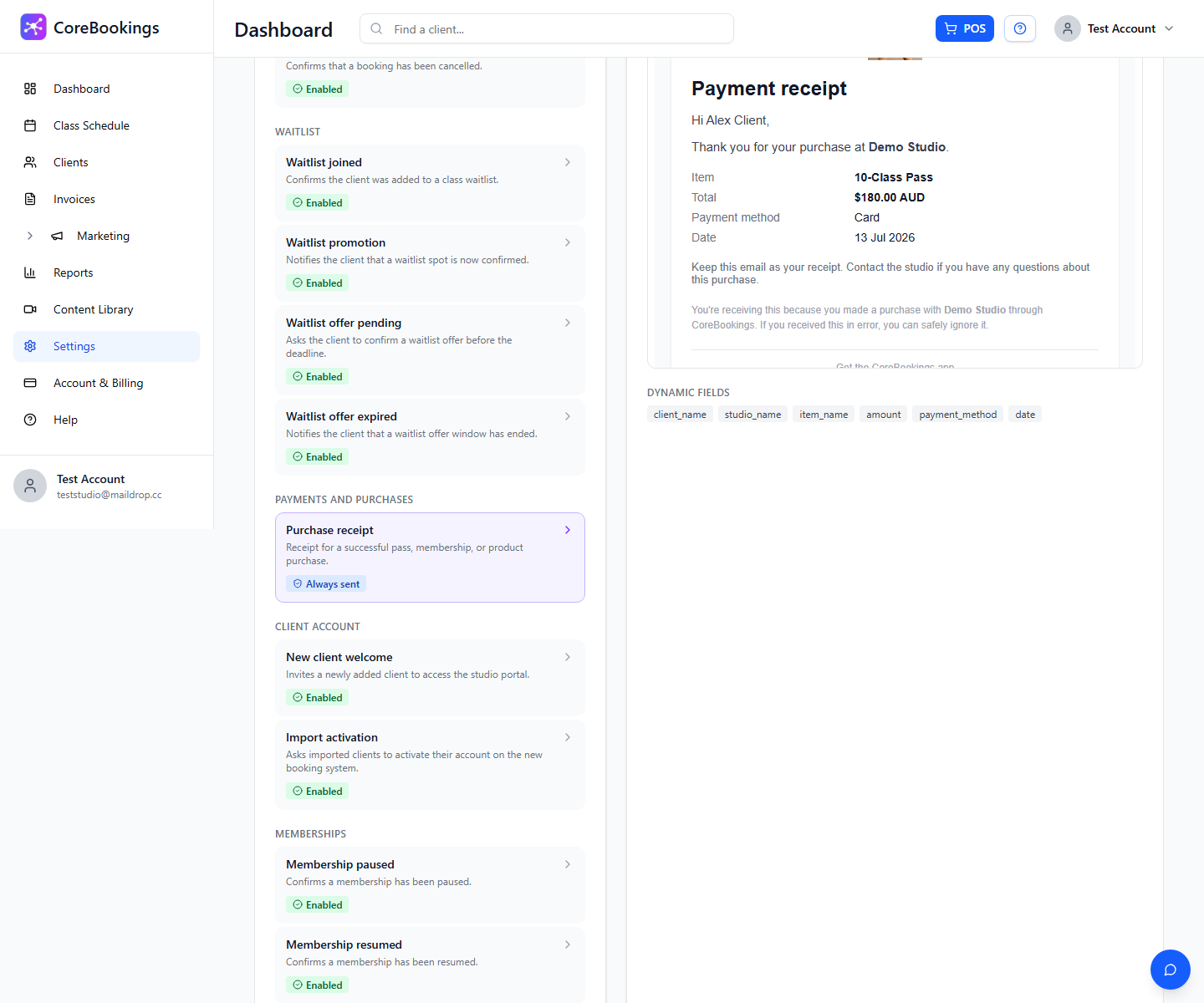
Always sent #
Where: Settings → Notifications
- Go to Settings → Notifications.
- Under Customer Notifications, find Purchase receipts.
- The toggle stays on ("Always sent. Required for receipts.") and cannot be turned off.
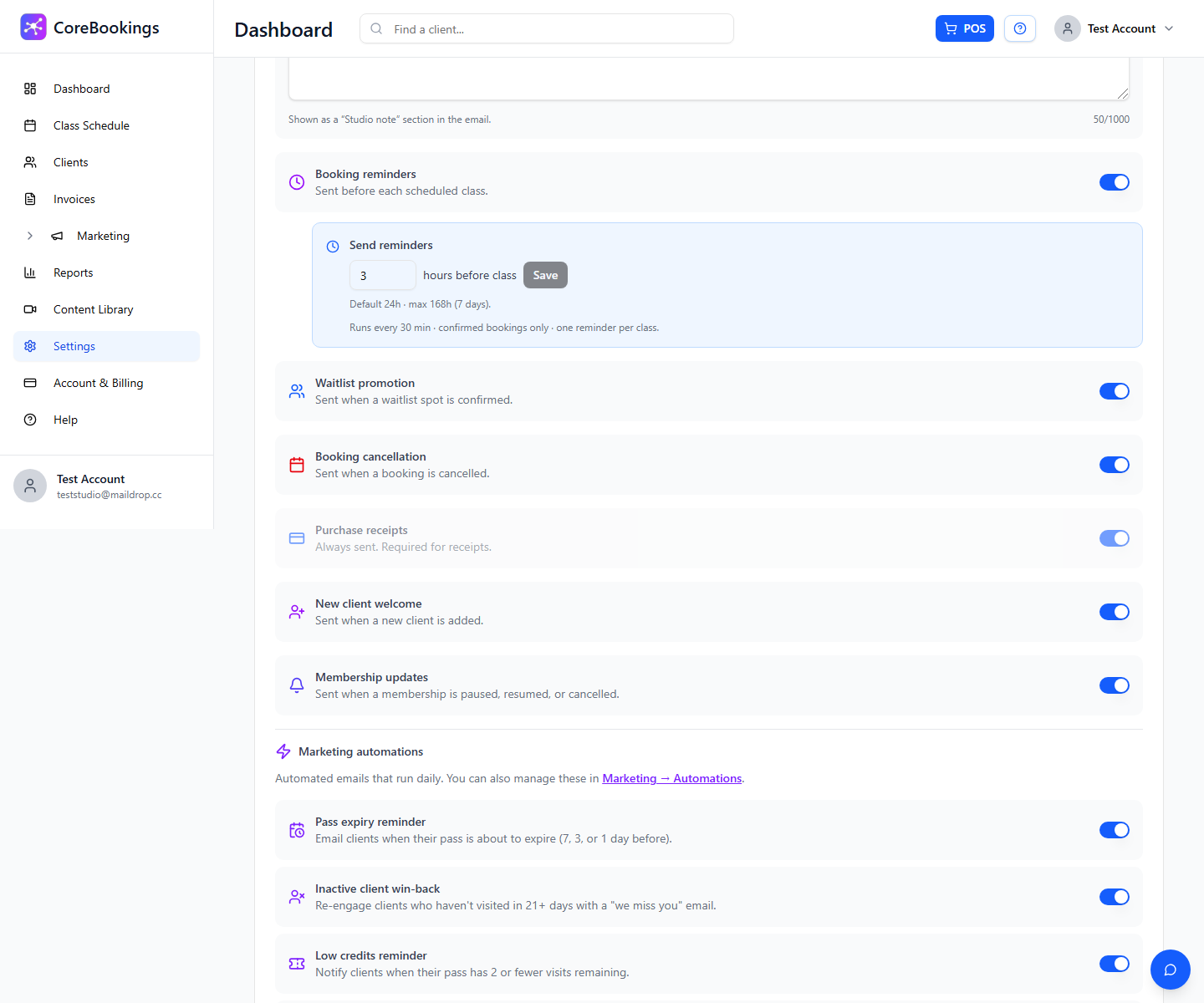
Receipts are sent for successful card payments and for successful cash / EFTPOS POS sales as well.
Preview the template #
Where: Settings → Email Templates
- Go to Settings → Email Templates.
- Open Purchase receipt (category Payments and purchases).
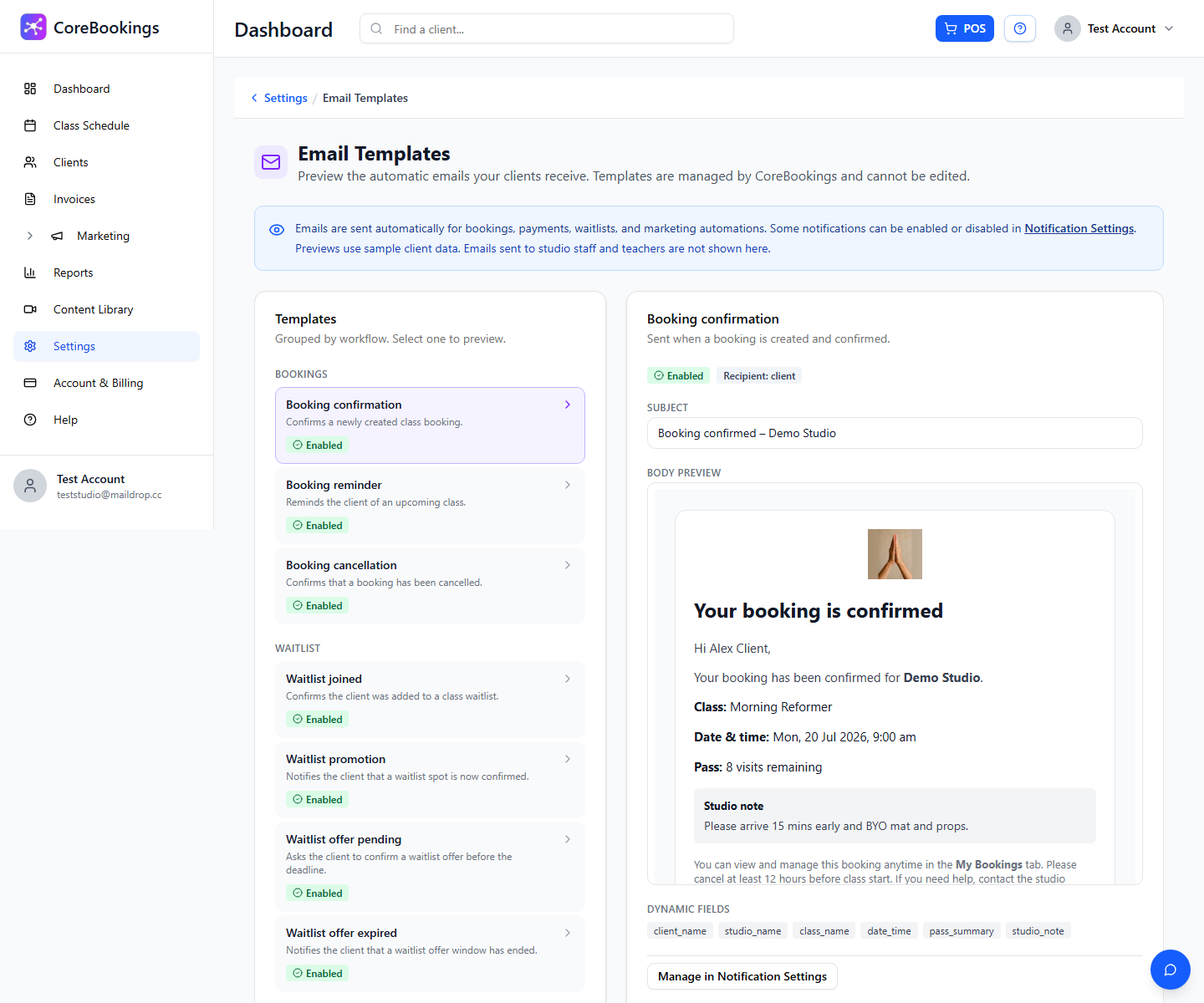
Templates are managed by CoreBookings and are preview only. You cannot fully redesign the receipt HTML.
Purchase receipt vs invoices #
- Purchase / payment receipt — automatic email after a pass or product purchase.
- Invoices (sidebar) — Stripe-hosted payment requests you create under Invoices. That is a separate billing flow.
- If tax is enabled, the receipt may show tax lines. That is still the transactional receipt email, not a separate formal tax-invoice product name in Email Templates.
See also Why am I receiving 2 purchase receipt emails?


