
Table of Contents
You can remove an active class pass from a client's account from their profile. In CoreBookings the action is labelled Cancel pass (not Delete). This removes that held pass from Active Passes.
Short answer #
- Open Clients and find the client.
- Open their profile.
- In Active Passes, find the class pass.
- Open the … menu (More actions).
- Click Cancel pass.
- Confirm with Yes, cancel.
Class pass vs membership #
- Class / visit pass — use Cancel pass from the … menu. This removes that pass from the client.
- Membership (blue Membership badge) — do not use Cancel pass. Use Cancel at period end or Cancel now instead. See How do I cancel a client's recurring membership?
Cancelling a pass on a client does not delete the pass product from Settings → Passes. That catalogue is separate.
Cancel a class pass #
Where: Clients → open the client → Active Passes
- Go to Clients.
- Search by name and open the client profile.
- Find the pass under Active Passes. Class passes often show remaining visits and an expiry date, with an Adjust visits button.
- Click the … button (More actions).
- Select Cancel pass.
- In the Cancel package dialog, click Yes, cancel (or No to keep the pass).
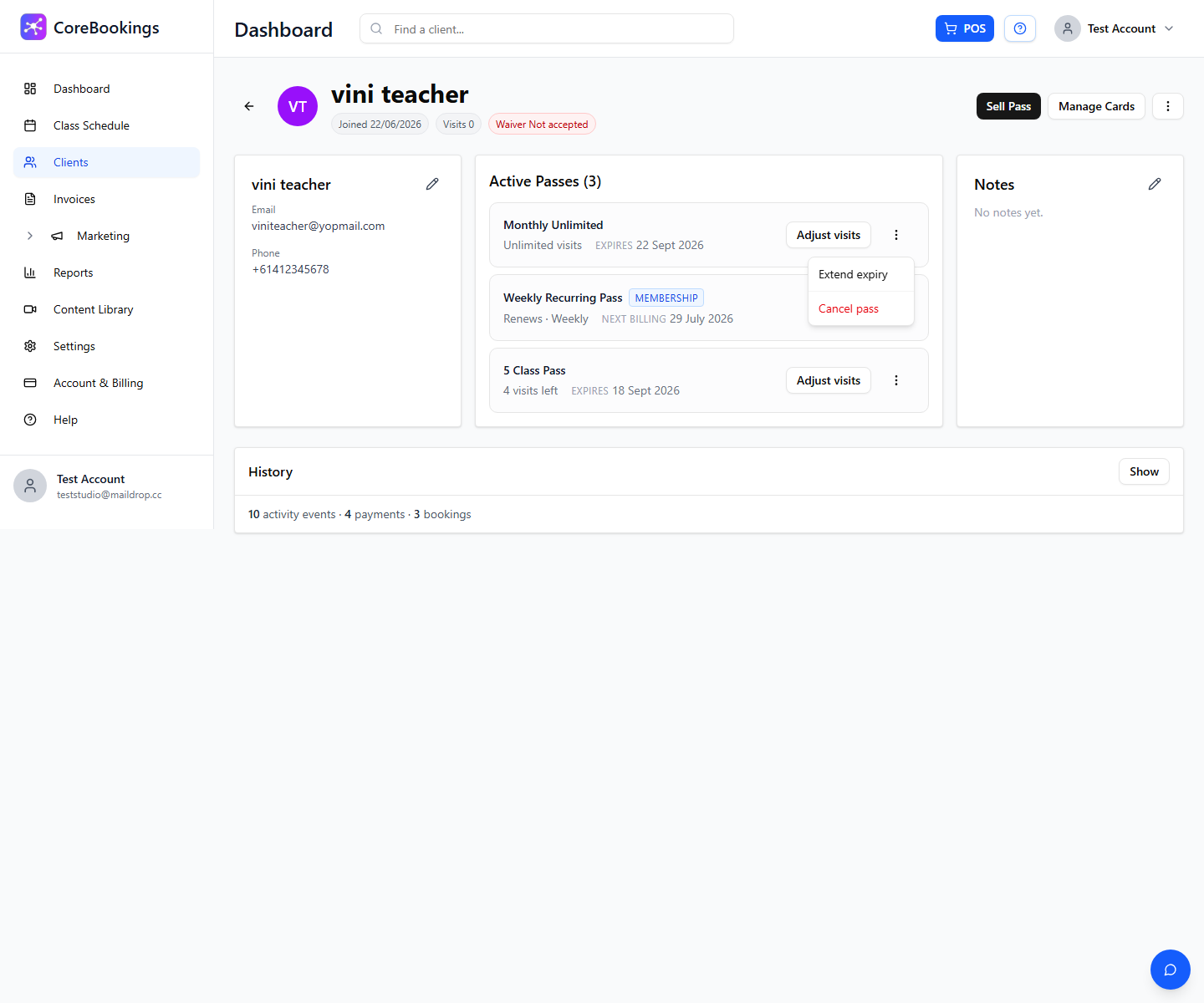
From the same menu you can also Extend expiry for many class passes. Use Adjust visits on the pass row if you only need to change visits remaining.
What happens after you cancel #
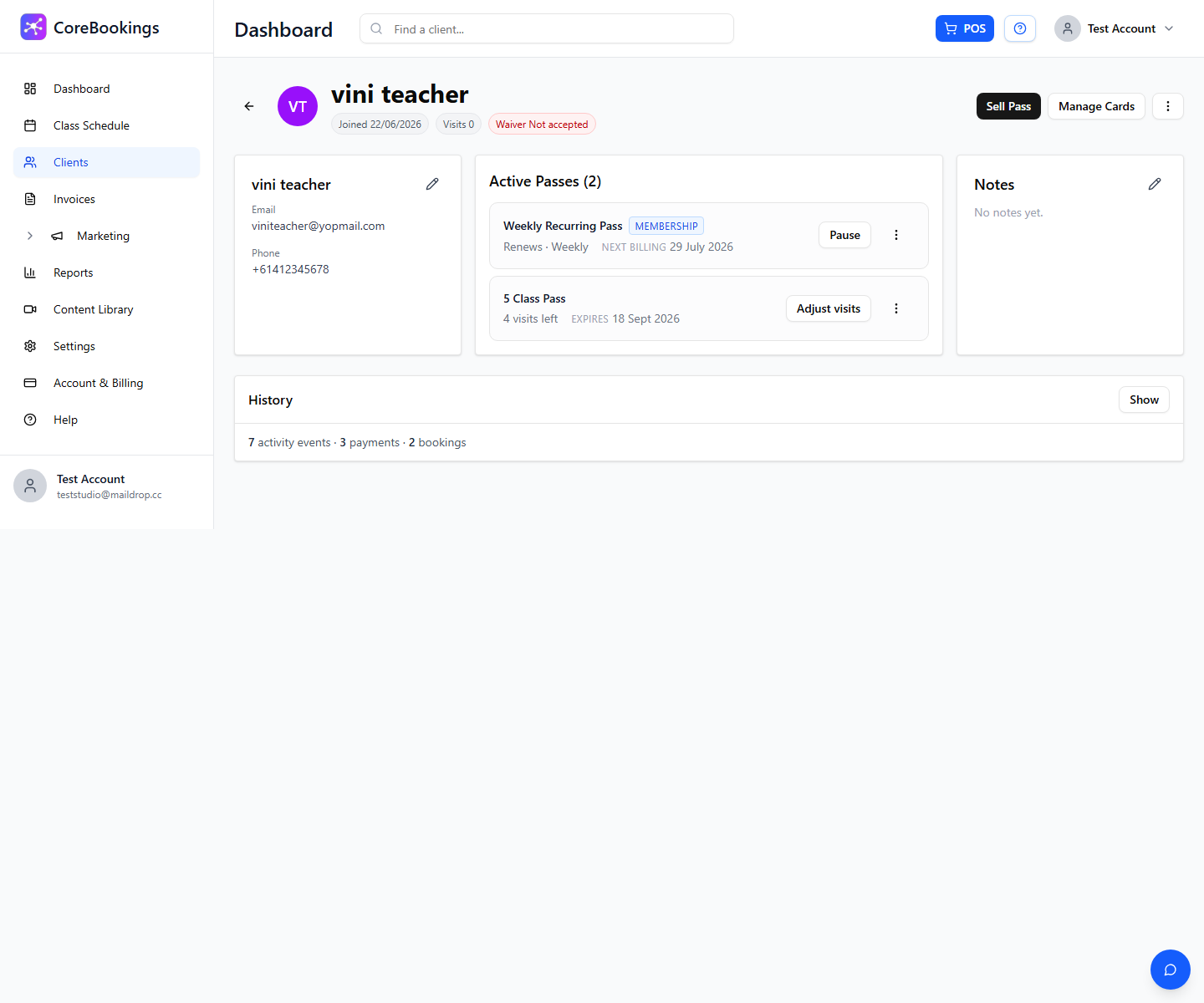
- The pass leaves Active Passes.
- The client can no longer book with that pass.
- You may still see it under Past passes on the profile, where you can often Buy again.
- Cancelling the pass does not automatically refund a past Stripe purchase. Process refunds separately in Stripe if needed.


