
Table of Contents
To stop clients buying your free trial or intro offer more than once, mark the pass as an Intro / welcome pass and set Maximum purchases per client to 1. CoreBookings enforces that limit when clients buy in the app and when you sell the pass at POS.
Short answer #
- Open Settings → Passes.
- Create a pass (or edit your intro / free trial pass).
- Turn on Intro / welcome pass.
- Set Maximum purchases per client to 1.
- Optionally turn on Only for new clients at this studio.
- Save with Create Pass or Save.
Create or edit the intro pass #
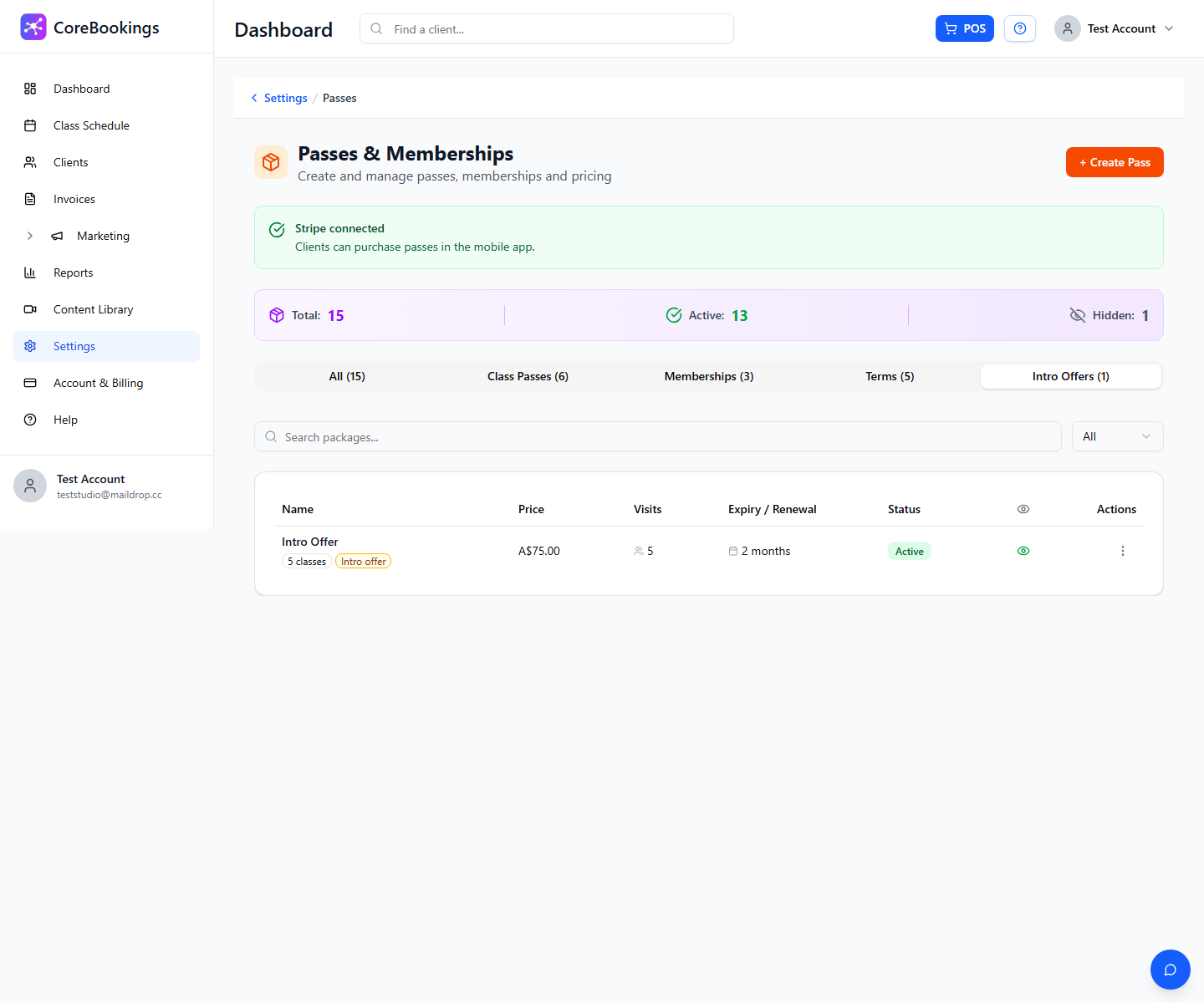
Where: Settings → Passes → Passes & Memberships
- Click + Create Pass, or open an existing intro pass to edit.
- Use the Intro offer template for a quick start, or fill the fields yourself.
- Keep Recurring membership (auto-billing) off—intro offers are one-time passes, not memberships.
- Set Price (use 0 for a free trial), Number of Visits, and Expiry Days as needed.
Settings that limit to one per client #
- Turn on Intro / welcome pass.
- Set Maximum purchases per client to 1. The help text says this is usual for a true welcome offer.
- Turn on Only for new clients at this studio if the deal should only go to clients who have never had a pass or membership with your studio.
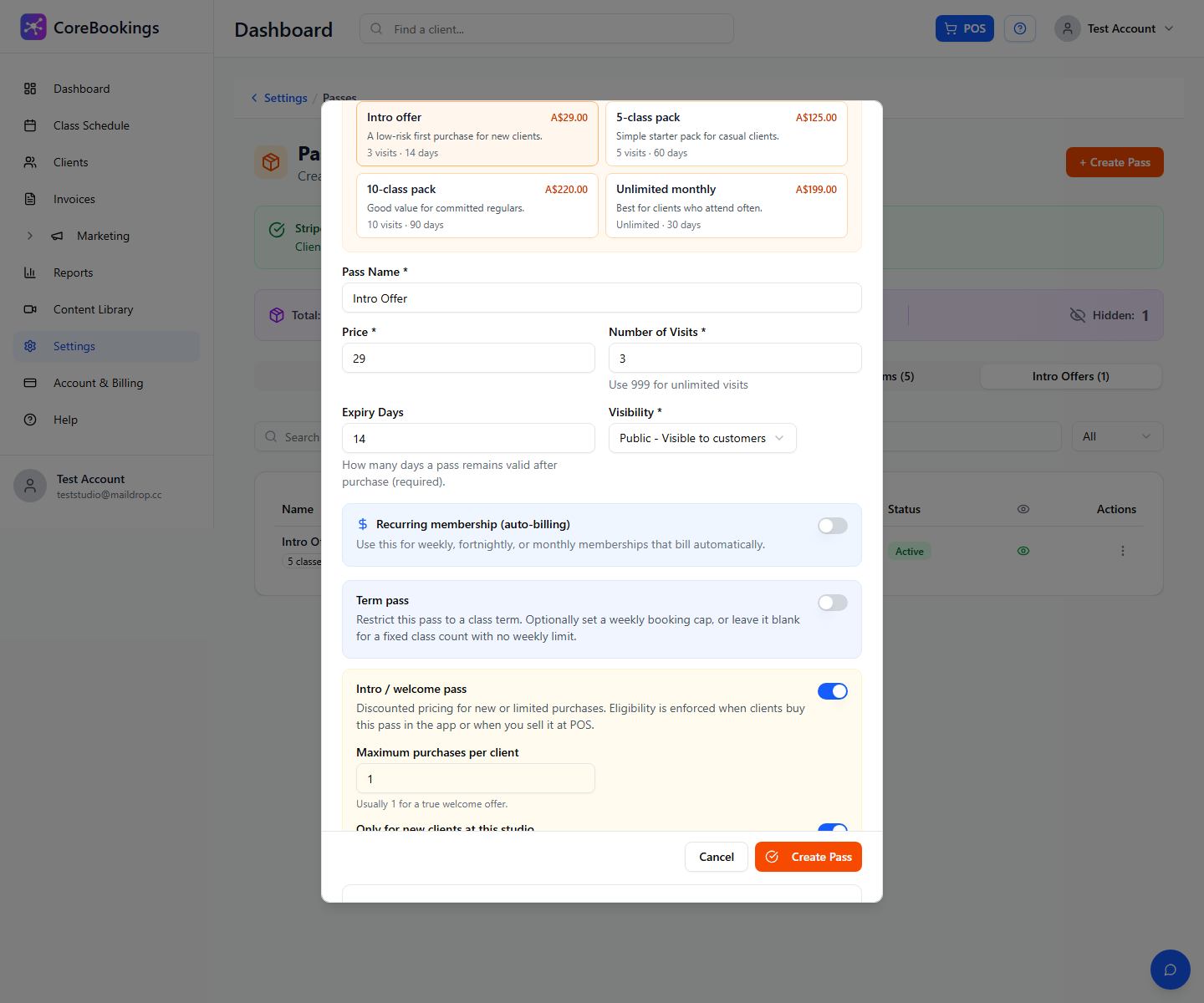
Eligibility is checked when the client buys in the app and when staff sell the pass at POS. A client who has already bought this intro pass (up to the maximum) cannot buy it again.
Optional: desk-only or online #
- Public visibility — clients can see and buy the intro pass online / in the app (still limited to one purchase if max is 1).
- Hidden (or equivalent staff-only visibility) — the pass is not listed for self-purchase; staff can still sell it from POS or the client profile.
The purchase limit still applies either way.
Related help #
- Adding New Member Deals and Intro Passes in the Dashboard
- Can I create a variety of options for Passes and Subscription to restrict or apply only to specific classes?
- Can my clients book into a class before buying a class pass?
- How to change the types of passes that are valid or allowed to book a particular class


