
Use this when a client pays cash, receives a complimentary spot, or you want to book them in from the dashboard instead of the booking site. In CoreBookings, fixed courses run as class terms with term passes.
Short answer #
- Sell the client the matching term pass (cash, free, or card).
- Open each class session in the term on Class Schedule Detail.
- Click Add Client, select the client and term pass, then confirm.
- Repeat for every date the client should attend.
CoreBookings does not auto-book every session in the term from one action. You (or the client) confirm each class date.
Before you start #
Confirm your course is set up:
- A term under Settings > Term Dates
- A term pass linked to that term under Settings > Passes
- A repeating class series on Class Schedule with the Term selected
Class terms and term passes need Starter or above. See book recurring classes and term programs for the full setup.
Sell the client a term pass #
- Go to Clients and open the client profile (or create the client first).
- Click Sell Pass.
- Select the term pass for this course.
- Choose a payment method: Cash, Free, card, or another option your studio uses.
- Complete the sale.
The client now has visits on their pass for classes in that term.
Add the client to each class session #
- Go to Class Schedule and open the first session in the course (look for the Term badge on Class Schedule Detail).
- Click Add Client.
- Search for the client, then click Add to Class next to their matching term pass.
- Repeat for each remaining date in the term.
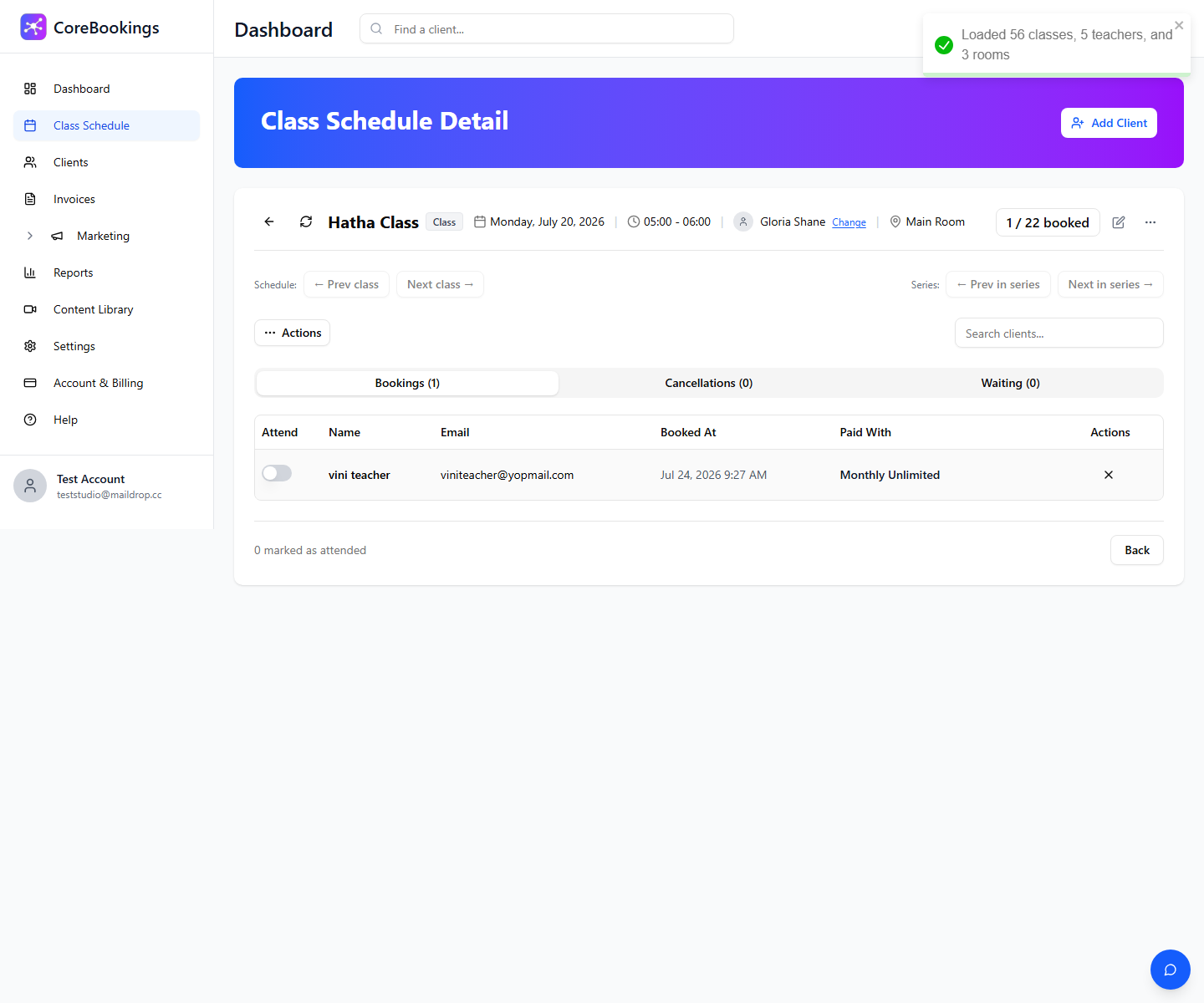
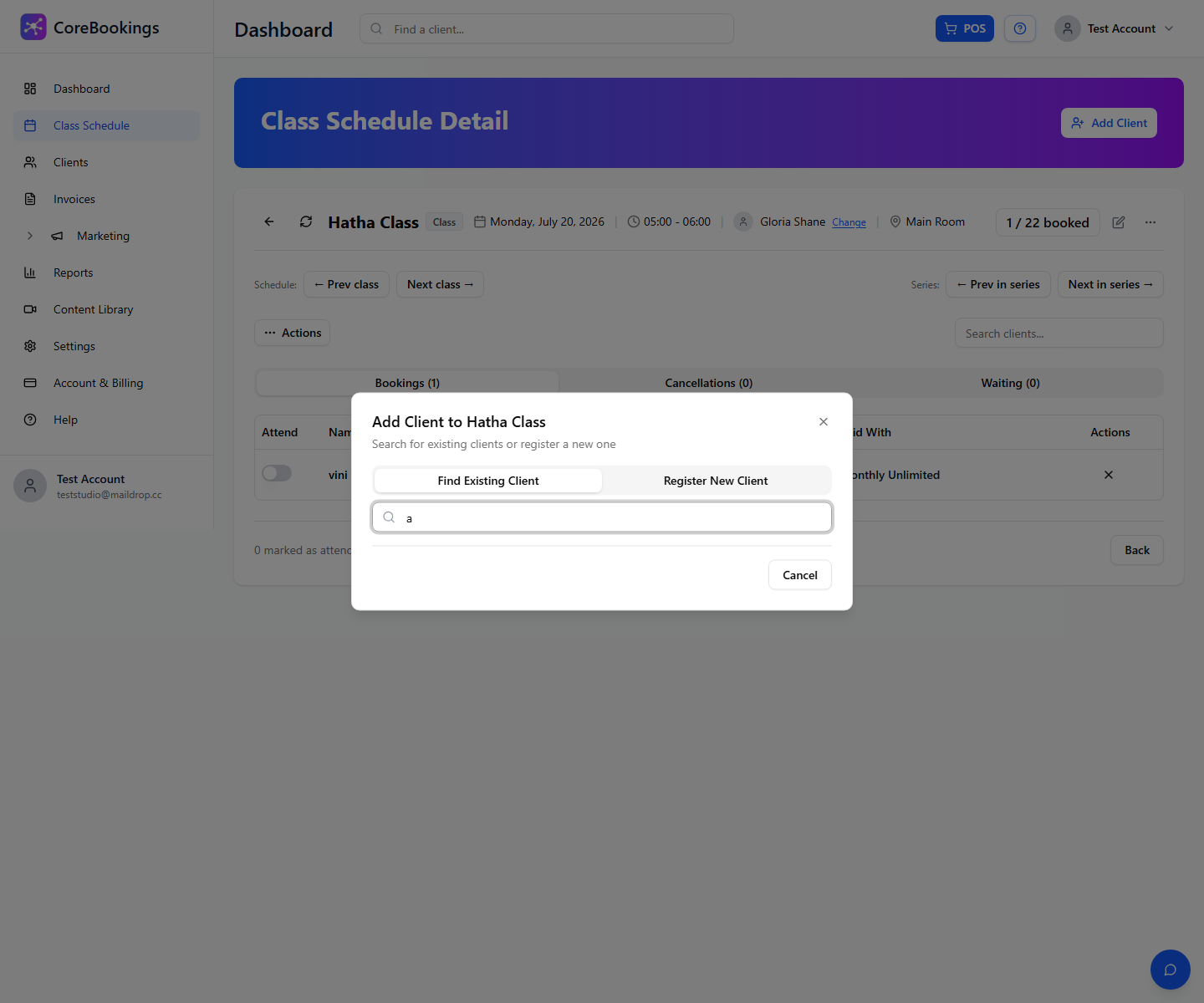
Each booking uses one visit from the term pass. If the client has no matching term pass, you can sell one from their profile and return to Add Client.
Register a new client #
If the student is not in CoreBookings yet:
- On Class Schedule Detail, click Add Client.
- Open the Register New Client tab.
- Enter their name and contact details, then click Register & Sell Pass.
- Complete the term pass sale, then add them to each class session as above.
Related help #
- How to Manually Enrol a Client into a Course
- Book recurring classes and term programs
- Run a weekend retreat or workshop
Need help? Email support@kriya.com.au.


