
A client contacts you saying they cannot log in. They may see an error that their email or password is wrong, even after trying to reset it.
Clients book through the CoreBookings mobile app (or your public booking link), not the studio dashboard. The dashboard is for studio staff only.
Common reasons clients cannot log in #
- They are trying to sign in on the studio dashboard instead of the client app
- They are using the wrong email address or a typo (for example, Gmail vs Hotmail)
- They have more than one account with different email addresses
- Their browser or phone has an old password saved from before a reset
- The password reset email landed in spam or junk
- They requested several resets and are not using the most recent link
Questions to ask first #
Before resetting anything, confirm:
- Where are you signing in? Clients should use the CoreBookings app or your studio's booking page — not the studio dashboard login.
- Which email address are you using? Compare it with the email on their client profile in Clients.
- Did you check spam? Password reset emails can be filtered.
Passwords are encrypted. You cannot see a client's current password in CoreBookings. Send a reset link instead of guessing.
Send a password reset from the dashboard #
If the client is on the correct app and using the email on their profile, send a fresh reset email from their client record:
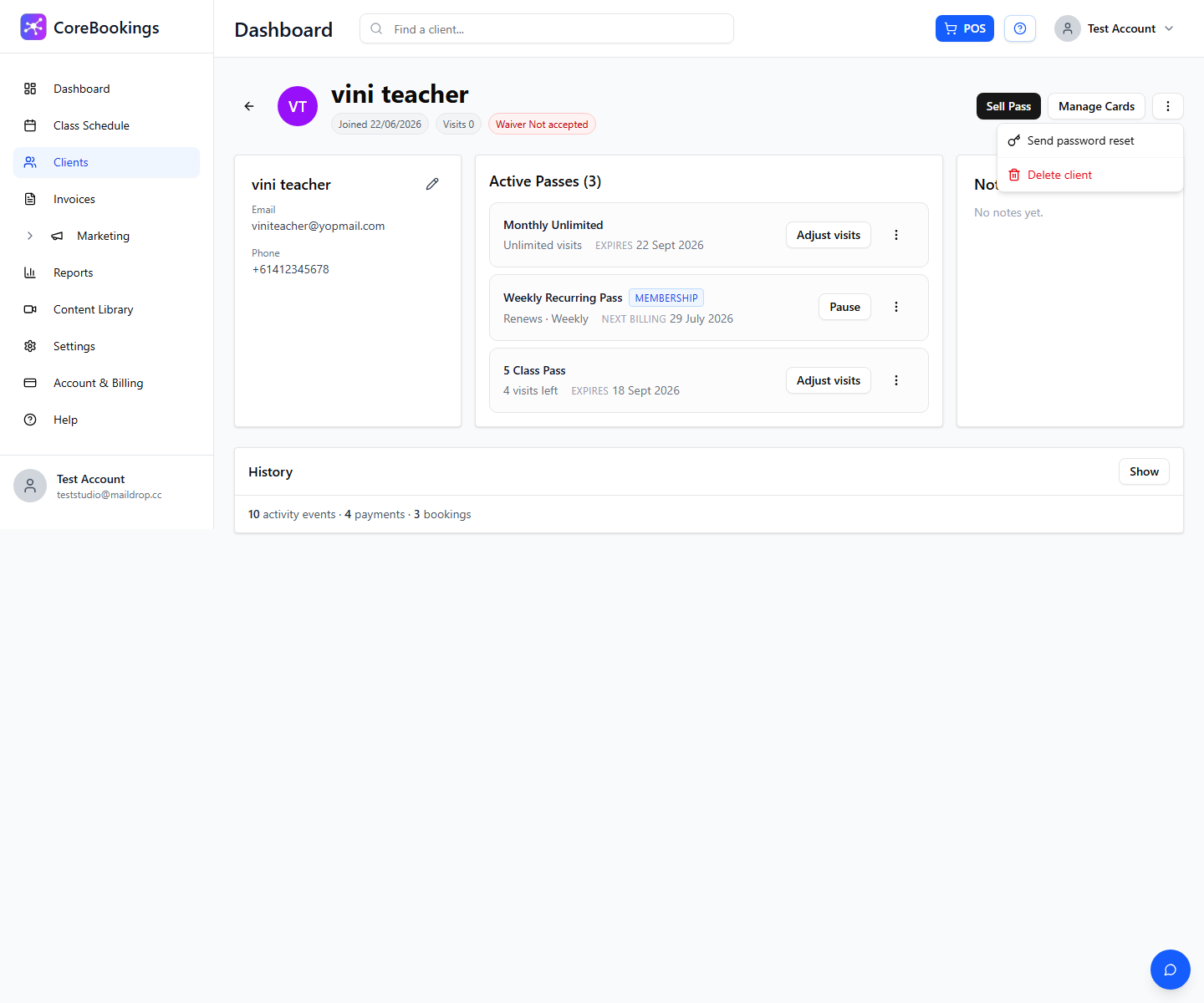
- Open Clients and select the client's profile.
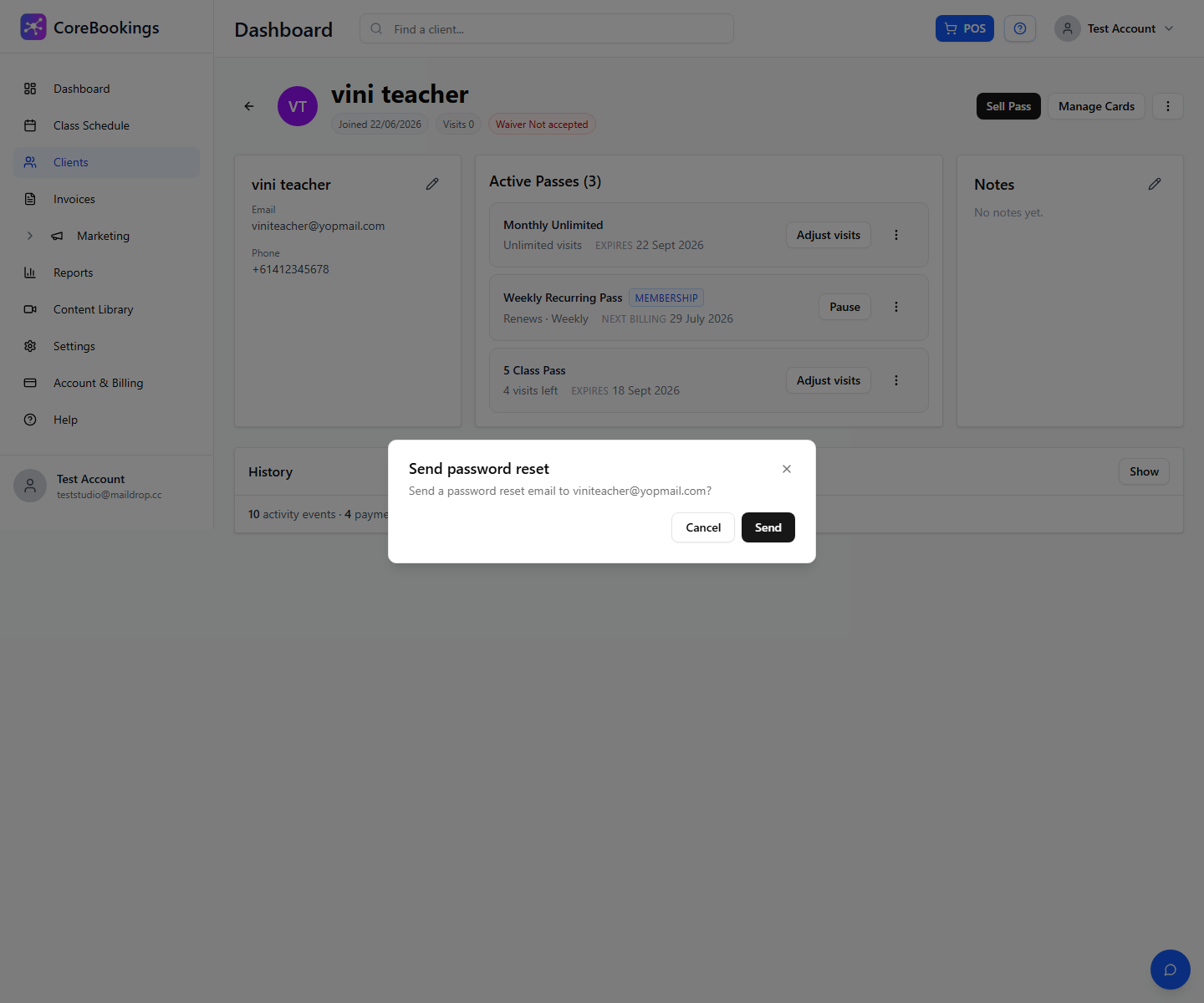
- Click the ⋮ menu (top right) and choose Send password reset.
- Confirm Send. The reset email goes to the address on their profile.
- Ask the client to open the latest email, set a new password, and type it manually (not from an old saved password).
Client self-service: Forgot password #
Clients can also reset their own password in the CoreBookings app:
- Open the app and tap Sign in.
- Tap Forgot Password?
- Enter the same email address shown on their client profile and submit.
- Follow the link in the email to set a new password.
If they do not receive the email within a few minutes, check spam and confirm the email on their profile is correct.
Verify the email on their client profile #
Login always uses the email on the client's CoreBookings account. In Clients, open their profile and check the Email field under contact details.
- If the email is wrong, click the pencil icon to edit personal details and save the correct address.
- If you see Resolve duplicate email, the client may have signed up with a different email than the profile you created. Use that tool to merge the duplicate before sending another reset.
After the email is correct, send one password reset and ask the client to wait for that email before trying again.


