
Table of Contents
You can cancel a client's recurring membership from their profile. This stops future Stripe renewals for that membership. Use this when they are leaving, not when they only need a short break (use Pause for that).
Short answer #
- Open Clients and find the client.
- Open their profile.
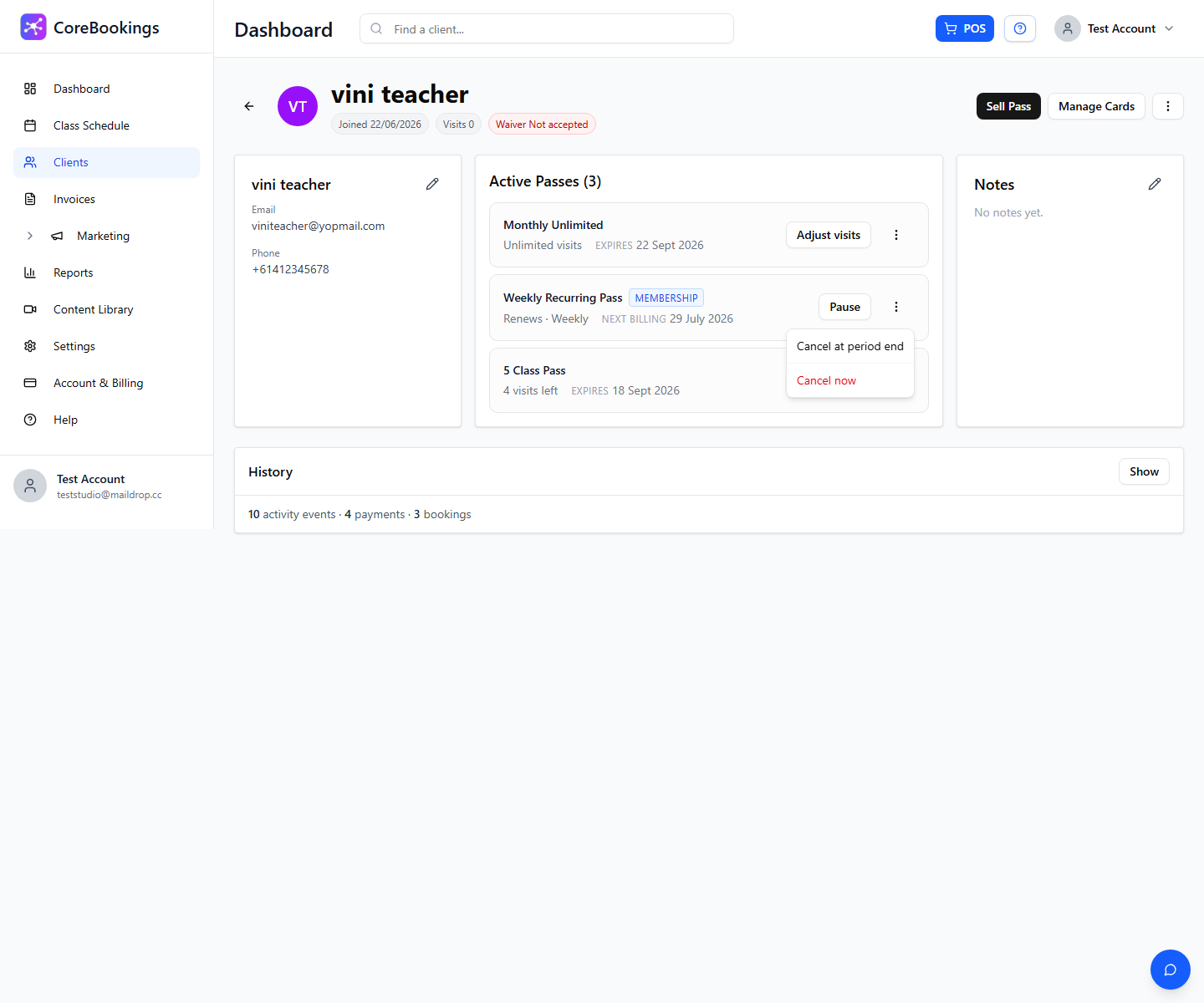
- In Active Passes, find the membership (blue Membership badge).
- Open the … menu (More actions).
- Choose Cancel at period end or Cancel now.
- Confirm in the dialog.
Cancel at period end vs cancel now #
- Cancel at period end — the client keeps access until the end of the current paid billing period, then the membership ends and they are not charged again. The pass may show a Cancelling badge.
- Cancel now — ends the membership immediately. The client loses access straight away. CoreBookings does not issue an automatic refund from this action.
If they only need a temporary break, use Pause instead so billing stops and you can Resume later without cancelling.
Cancel a membership #
Where: Clients → open the client → Active Passes
- Go to Clients.
- Search by name (or use the client search in the header).
- Open the client profile.
- Find the recurring membership under Active Passes. It shows a Membership badge and usually Renews with the billing interval (Weekly, Fortnightly, or Monthly).
- Click the … button (More actions) on that pass.
- Select Cancel at period end or Cancel now.
- Confirm with Cancel at period end / Cancel now in the dialog (or choose Keep membership to abort).
What happens after you cancel #
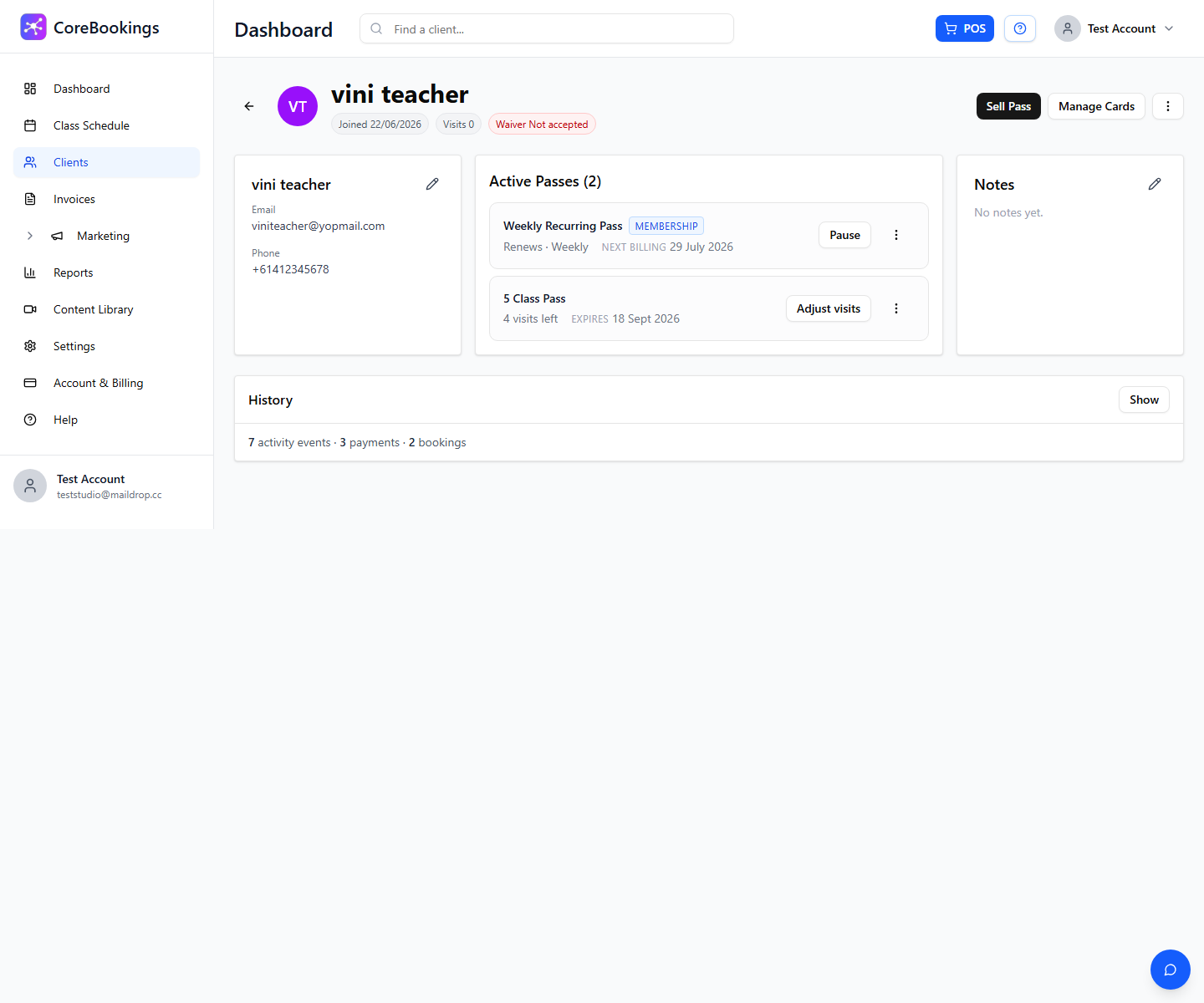
- Cancel at period end: renewals stop after the current period. The membership can show Cancelling and a cancel date until then.
- Cancel now: the membership ends immediately and moves out of normal active use.
- CoreBookings may email the client about the cancellation (depending on your notification settings).
- The action is recorded on the client's activity timeline.
This cancels the client's membership with your studio. It does not cancel your studio's own CoreBookings plan under Account & Billing.
Pause instead of cancel #
For a short break where they will return, click Pause on the membership instead. Billing stops while paused, and you click Resume when they come back.
See How to pause recurring memberships or subscriptions?


