
In CoreBookings you can update a client's email address from their profile. You cannot type a new password for them in the dashboard — send a password reset email instead.
Short answer #
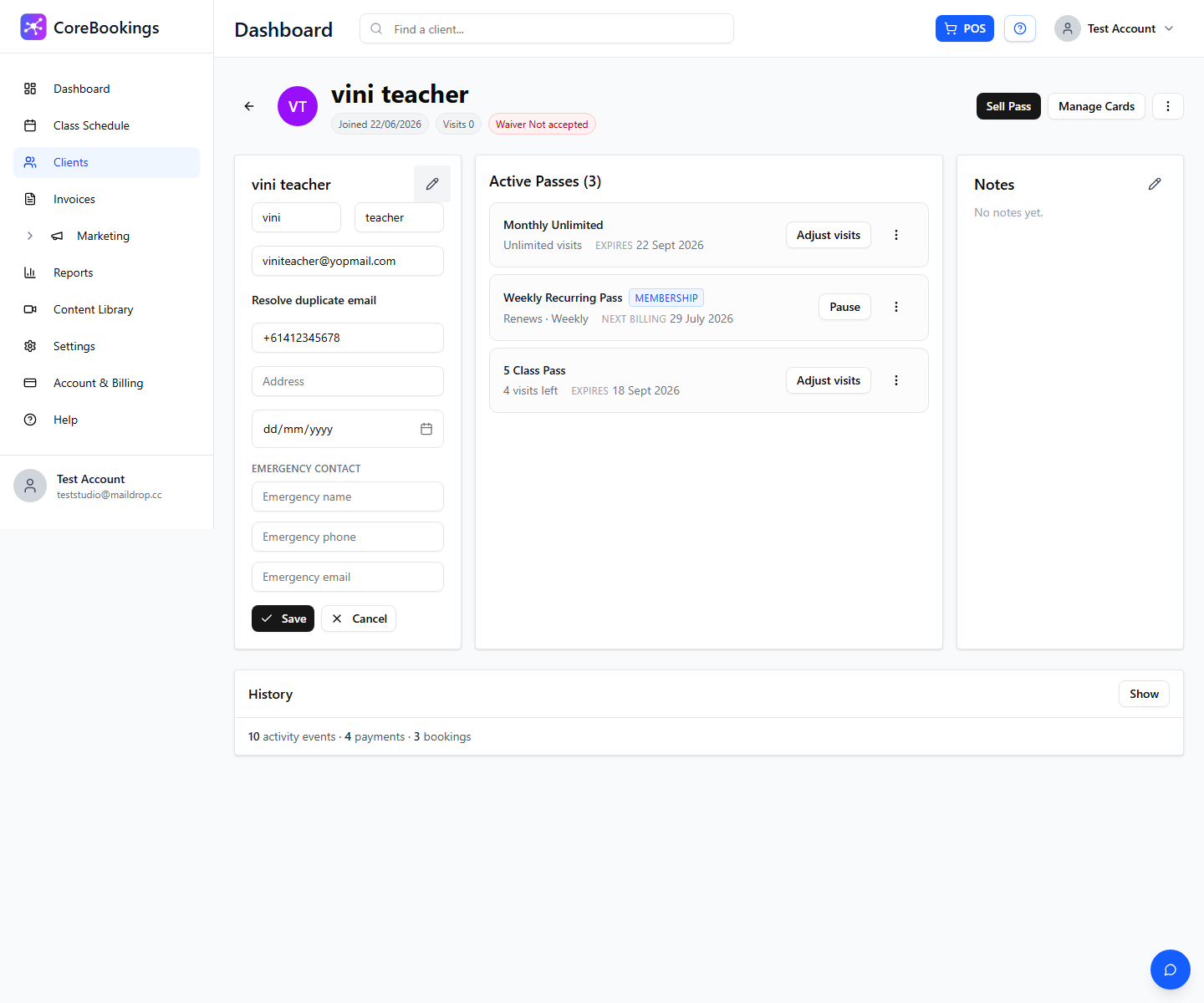
- Email: client profile → pencil icon on contact details → edit email → Save
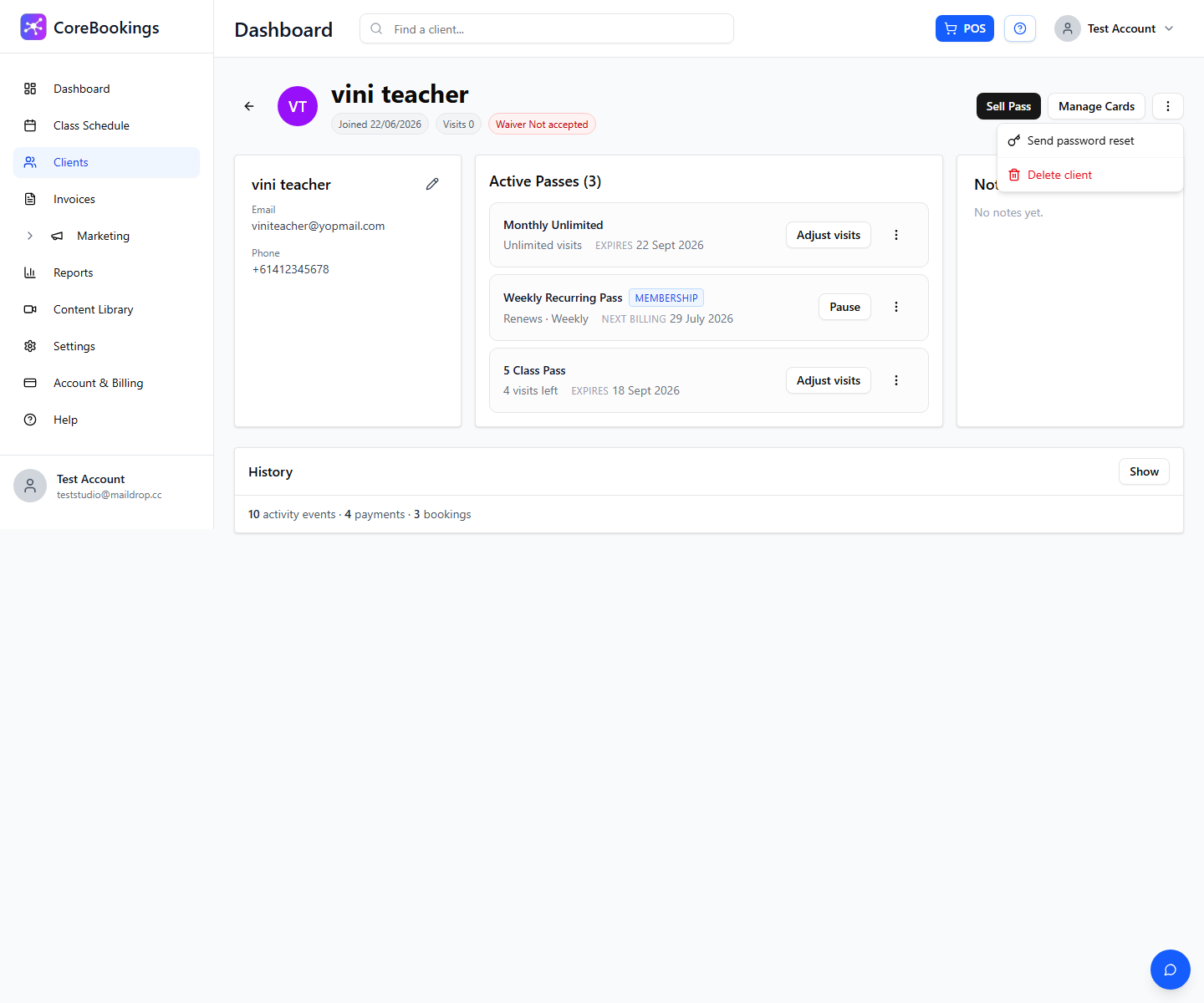
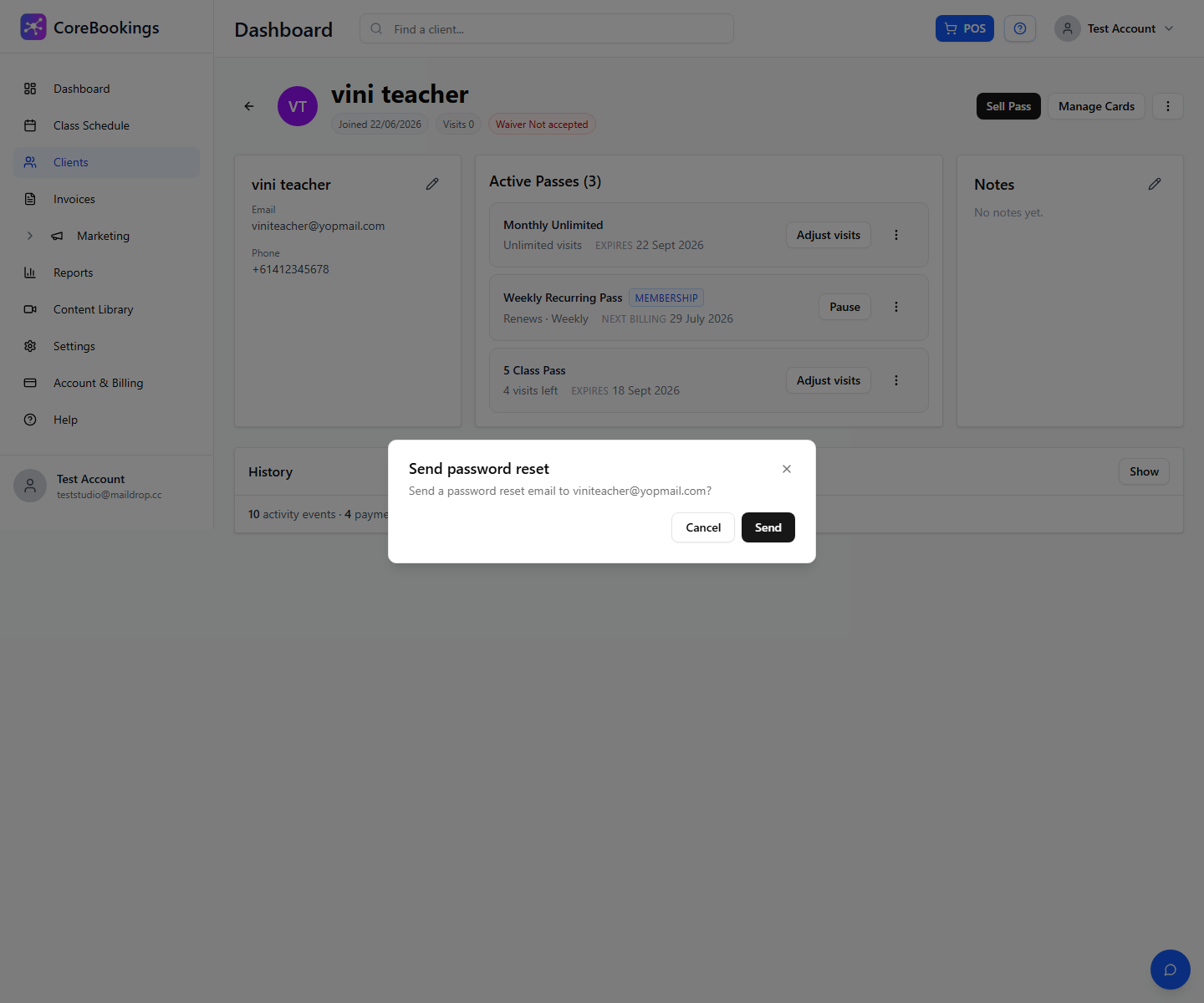
- Password: client profile → ⋮ menu → Send password reset
- Duplicate email error: use Resolve duplicate email before saving
- Client self-service: Forgot Password? in the CoreBookings app, or Change Password in their profile after logging in
Change a client's email #
- Go to Clients and open the client's profile (search by name or email).
- On the contact card, click the pencil icon (Edit personal details).
- Update Email and any other fields, then click Save.
The new email is used for login, receipts, and reminders going forward. Copy the exact address from the profile when sharing login details with the client.
If saving shows that the email is already in use, click Resolve duplicate email to merge a typo profile with the client's self-signup account before trying again.
Send a password reset #
Passwords are encrypted. Studios cannot view or manually set a client's password in the dashboard.
- Open the client's profile.
- Click the ⋮ menu (top right) and choose Send password reset.
- Click Send. The reset link goes to the email on their profile.
- Ask the client to open the email, set a new password, and sign in with that password (not an old saved one).
Client changes their own password #
After logging into the CoreBookings mobile app, clients can update their password from Profile → Change Password.
If they are locked out, they can tap Forgot Password? on the sign-in screen instead.
When onboarding a new client, share:
- Your studio's booking page or app download link
- Their email address (copy from the client profile)
- Instructions to use Forgot Password? or the reset email you send — not a password you choose for them


