Table of Contents
No. Recurring membership payments in CoreBookings do not stop automatically after a number of days on the pass. Billing continues through Stripe until the membership is cancelled or paused.
Short answer #
- A recurring membership keeps renewing on its billing interval (weekly, fortnightly, or monthly).
- Expiry Days on a one-off class pass is different—it is not what ends a membership subscription.
- For memberships, leave Expiry Days empty so the membership stays active while payments succeed.
Why expiry days do not stop memberships #
Where: Settings → Passes
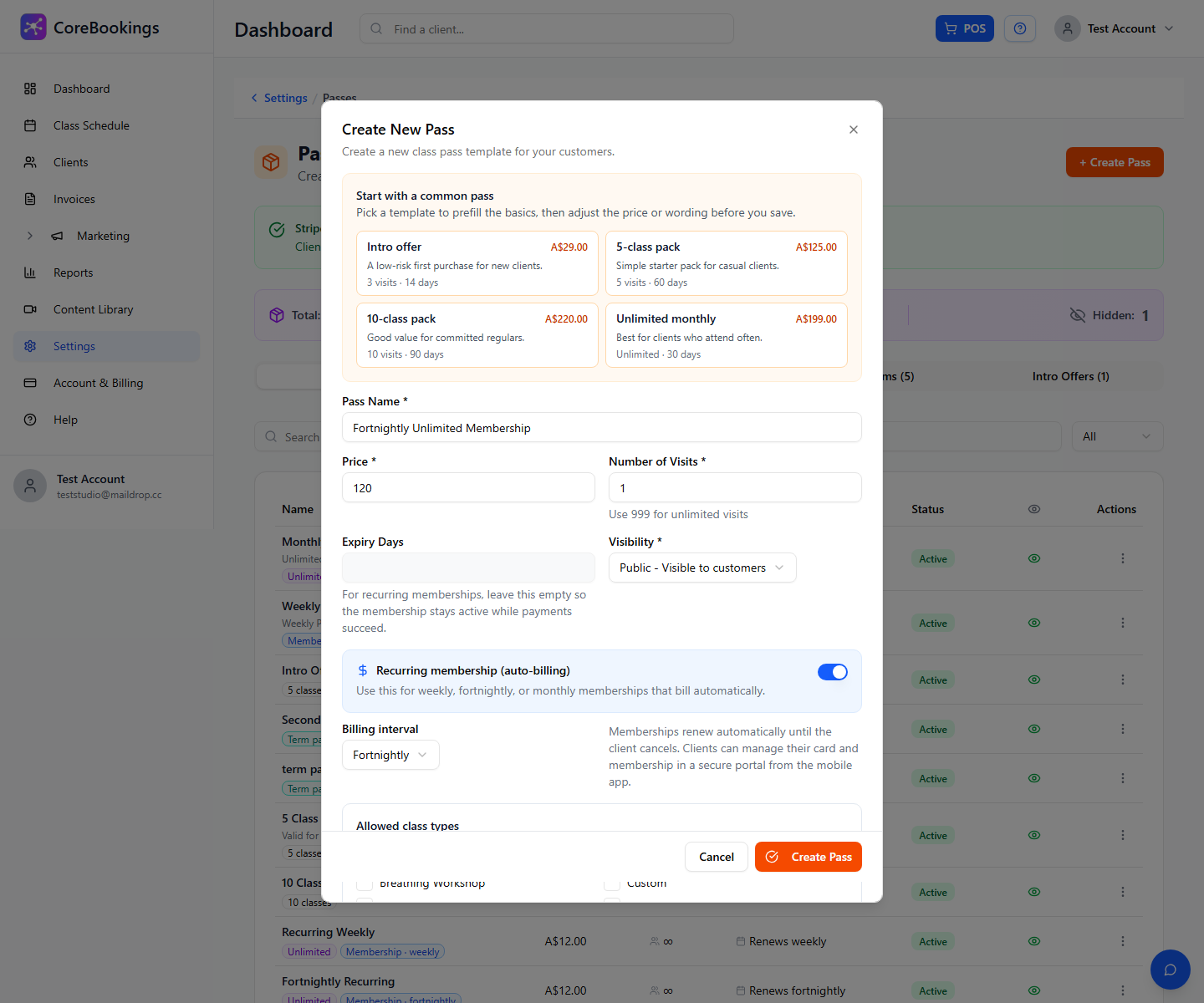
When you create or edit a pass with Recurring membership (auto-billing) turned on:
- Expiry Days should be left empty. The form help text says: for recurring memberships, leave this empty so the membership stays active while payments succeed.
- Stripe runs the subscription on the billing interval you chose, not on a fixed day count from the pass template.
- One-off visit packs use Expiry Days (and visits). Memberships do not use that field the same way.
How memberships actually end #
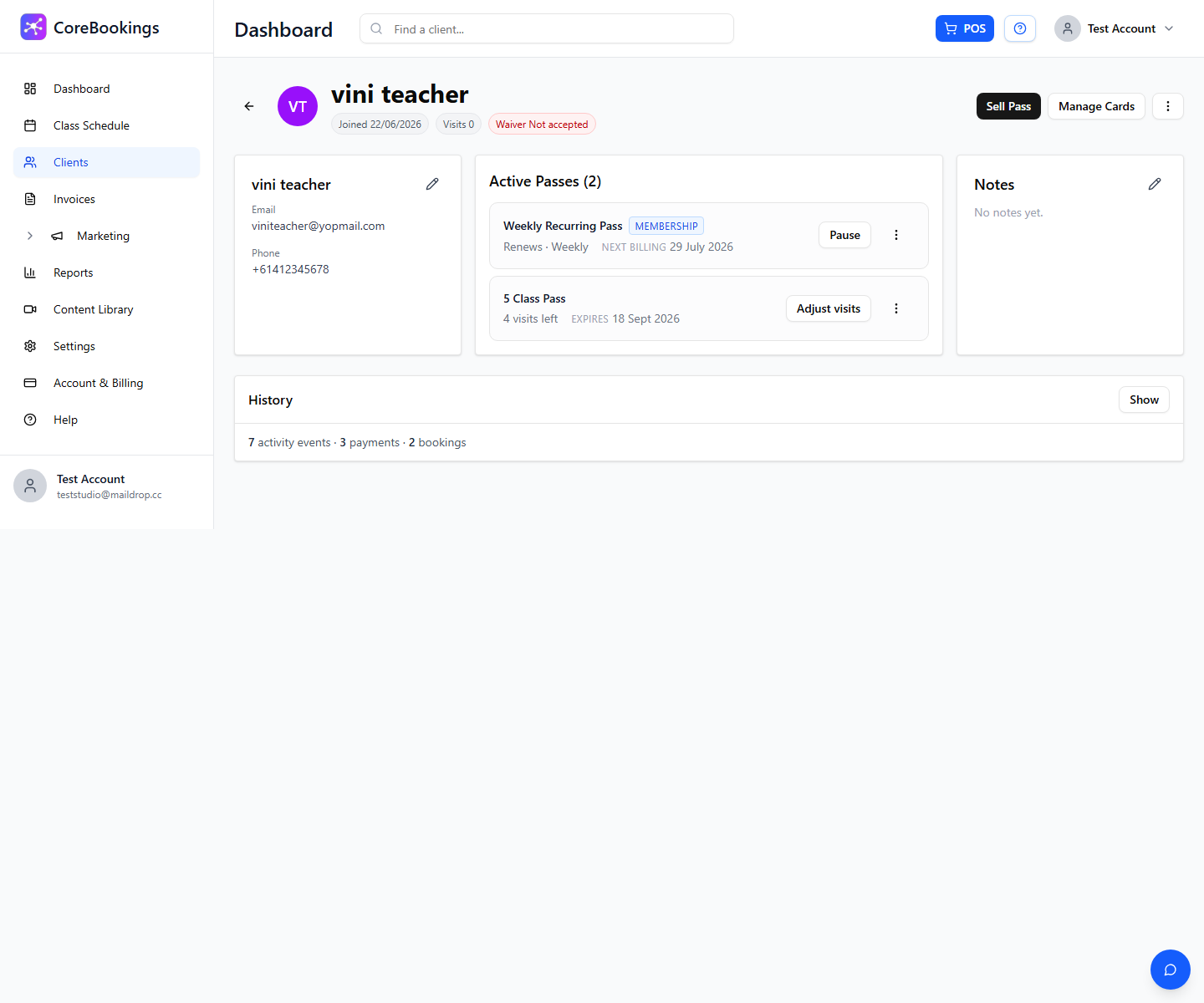
On the client profile under Active Passes:
- Pause — stops billing collection until you click Resume.
- Cancel at period end or Cancel now — ends the membership (from the … menu on the pass).
Failed card payments can also interrupt renewals depending on your Stripe retry settings, but that is not the same as an automatic stop after X days on the pass.