
Table of Contents
Yes. As an admin or studio owner you can book clients into a class that has already finished. Use the same Add Client flow on the class detail page. Booking cutoffs and advance booking windows do not block staff bookings.
Short answer #
CoreBookings does not disable Add Client after a class ends. This is useful when you need to back-date a booking, fix a missed check-in, or add someone who attended but was not booked online.
Find the past class #
Where: Class Schedule
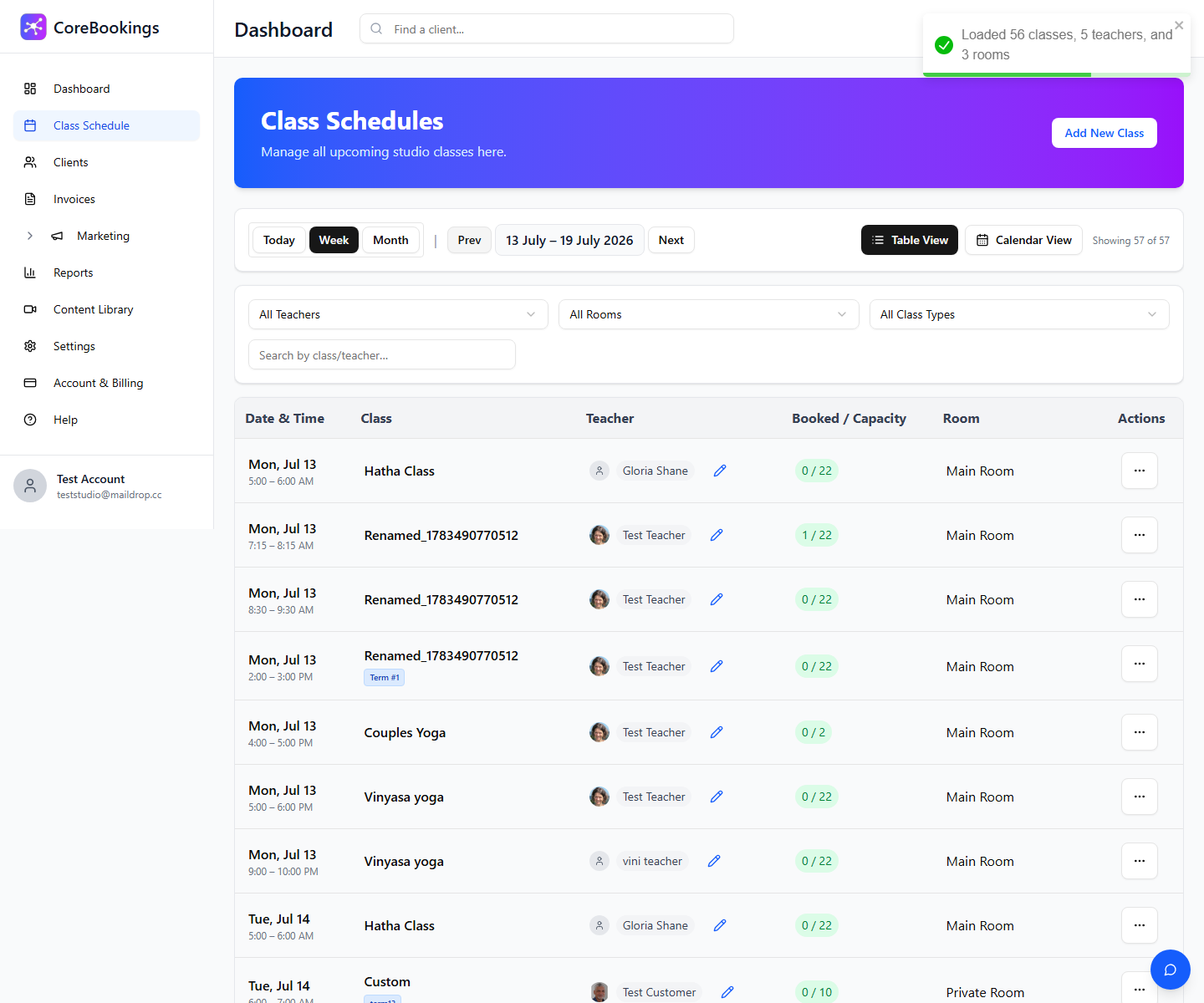
- Click Class Schedule in the left sidebar.
- Use Week or Today view, then click Prev to move back to the date you need.
- Click the class row (date, class name, or booked count) to open Class Schedule Detail.
Add a client to the class #
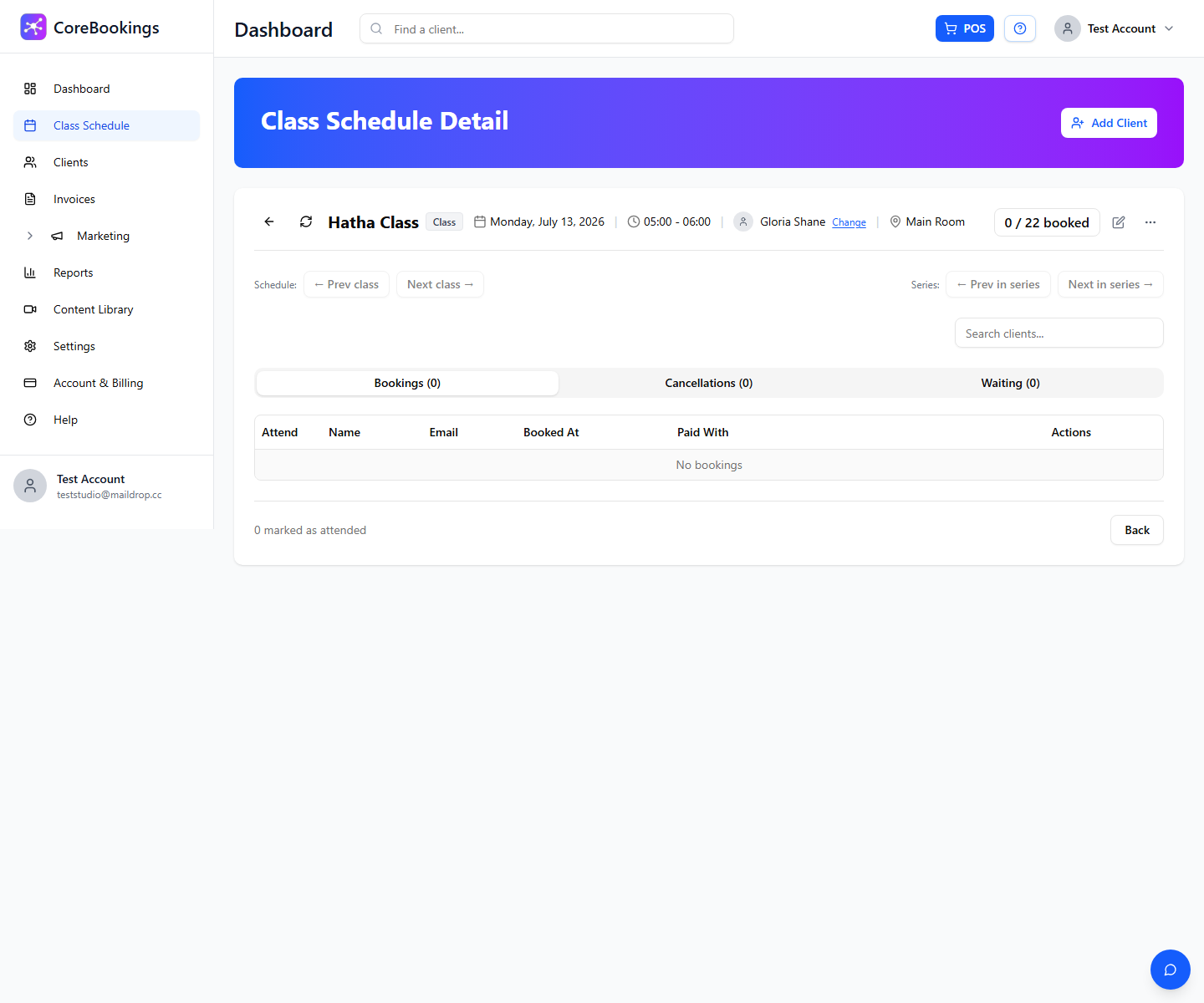
- On the class detail page, click Add Client.
- Search for the client on the Find Existing Client tab, or register a new client.
- Select their pass and click Add to Class. If they have no pass, use Add with Pay Later or Purchase Pass where available.
You can also use the inline Search clients... field on the class page and click Tap to add on a suggestion.
Mark attendance #
After you add the client, open the Bookings tab on the same page and click Attend next to their name if they were present. This keeps attendance and visit counts accurate.
Things to know #
- The client still needs a valid pass for the class date, with visits or credits available and the correct class type.
- Staff bookings bypass client booking cutoffs and advance booking limits from Settings → Business.
- If the class is full, the client may be waitlisted when waitlist is enabled.
- For term classes, you may see Override & Add when the pass is not linked to that term.
- Workshops require workshop payment. Class passes cannot be used for workshops.


