
Yes — you can fix a wrong pass purchase from the client profile. The usual workflow is: cancel the wrong pass, sell the correct pass, then refund the original payment in Stripe if your studio policy requires it.
Short answer #
- Open Clients and open the client.
- In Active Passes, open More actions (…) on the wrong pass → Cancel pass.
- Click Sell Pass and sell (or give) the correct product.
- If you owe a refund, process it in the Stripe Dashboard (cancelling the pass does not refund money by itself).
Cancel the wrong class pass #
Where: Clients → open the client → Active Passes
- Find the incorrect pass under Active Passes.
- Click the … button (More actions).
- Select Cancel pass.
- Confirm with Yes, cancel in the Cancel package dialog.
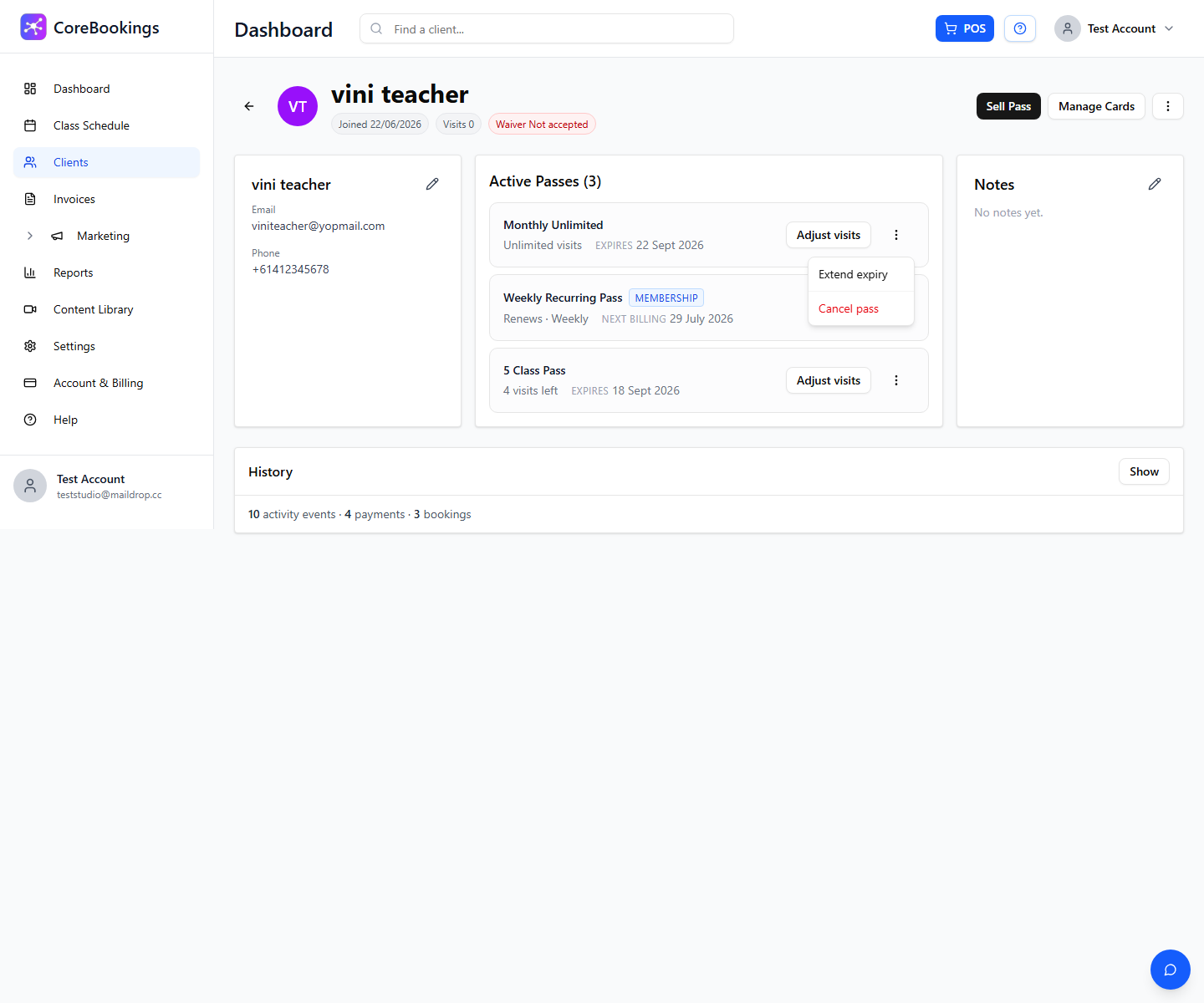
This removes the pass from the client's active list. It does not automatically refund the original card payment.
Sell the correct pass #
- On the same client profile, click Sell Pass.
- Choose the correct pass under Passes & Memberships.
- Complete the sale (charge the card, take cash, or give the pass as needed).
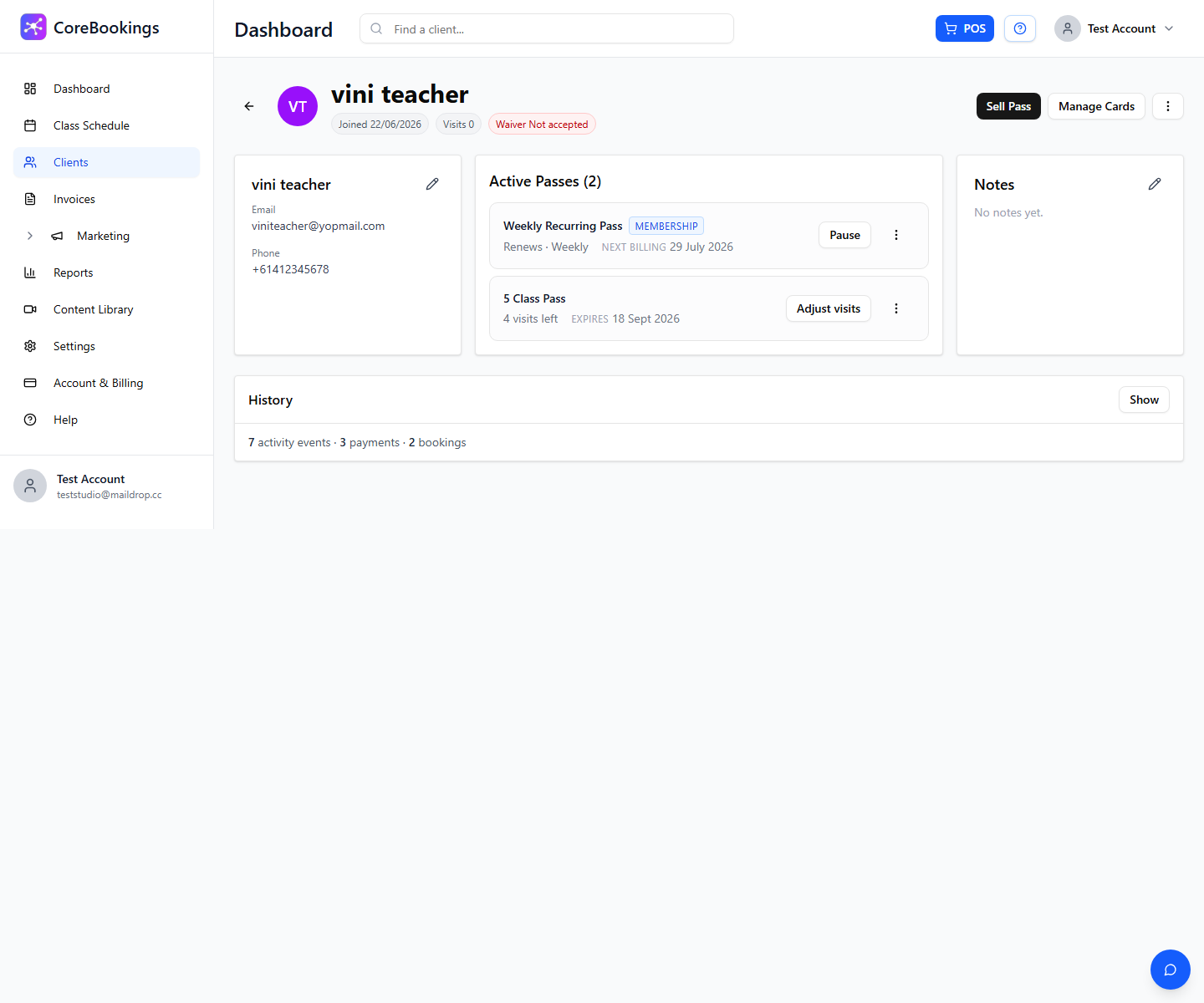
You can also use Buy again under past passes if they previously held the correct product.
Refunds #
- Cancel pass only cancels the held pass. It does not refund money.
- Client History → Payments shows payment history (for example to resend a receipt). Refunds for card payments are handled in your Stripe Dashboard.
- Decide whether to refund the full amount, a partial amount, or apply credit by selling the correct pass at a different price — that is studio policy.
Wrong membership #
If the wrong product was a membership (blue Membership badge), use Cancel at period end or Cancel now from the membership … menu instead of Cancel pass. Then sell the correct membership with Sell Pass. Card refunds still go through Stripe when needed.
See How do I cancel a client's recurring membership?


